 Badminton Club
A badminton scorekeeping app
Just tap, and the whole match is kept.
From the score to every shot's placement, all the way to replays.
Badminton Club records the practice matches of school clubs and friendly groups. Keeping score is a tap on the side that won the point, and the service order is shown for you. In “Detailed mode” you record where every shot was played and watch the rally again later as an animated replay. For fast doubles, a second phone records one half of the court in “Helper mode”.
- Price
- Free, no ads
- Runs on
- The web (any browser on a phone, tablet or computer). Nothing to install, no sign-in.
- Languages
- Japanese, English, Chinese (Simplified), Chinese (Traditional), Korean, Thai, Indonesian
Just tap the side that won the point
Choose the format and the players, then tap whichever side wins each point. The score, the serve and the end of each game are all handled for you.
- One tap per point
Tap the winning side's panel to add a point. Big numbers you can read from outside the court.
- The serve, shown for you
In singles and doubles alike, it shows who serves and from which side, in the order the rules say.
- Mistakes are easy to fix
Use “Undo”, or delete a point from the rally log. The score and the serve are all worked out again.
- Choose the format
21, 15 or 11 points; best of 3 games or a single game. Deuce and the point cap are handled automatically.
- Names are optional
Every name is optional. Pick recent players with one tap, and their avatars come along.
- A timed rally log
Each point is kept with its time and the score at that moment, so you can follow the match afterwards.
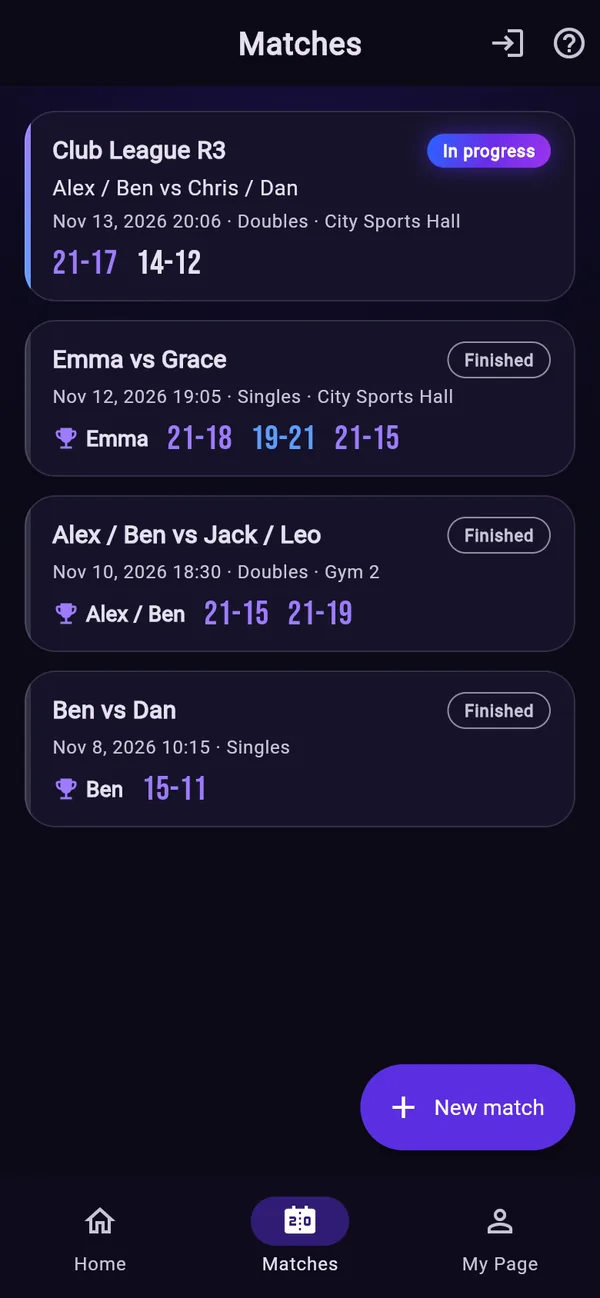
MatchesIn progress and finished 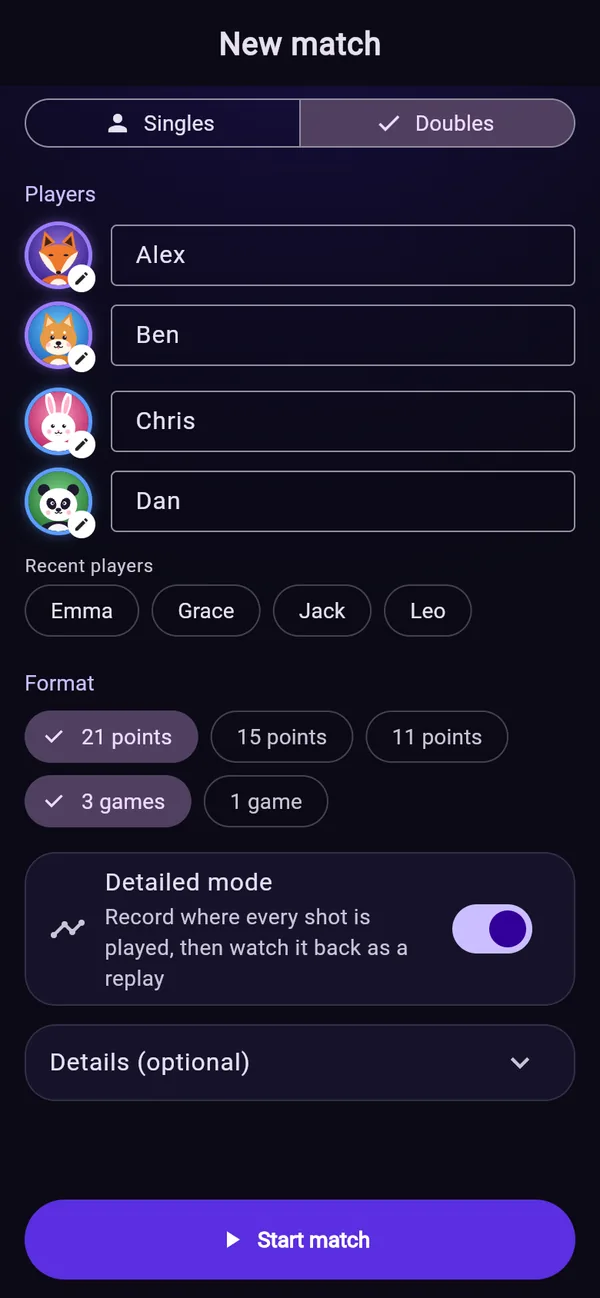
New matchRecent players in one tap ScoreServe and rally log, automatic
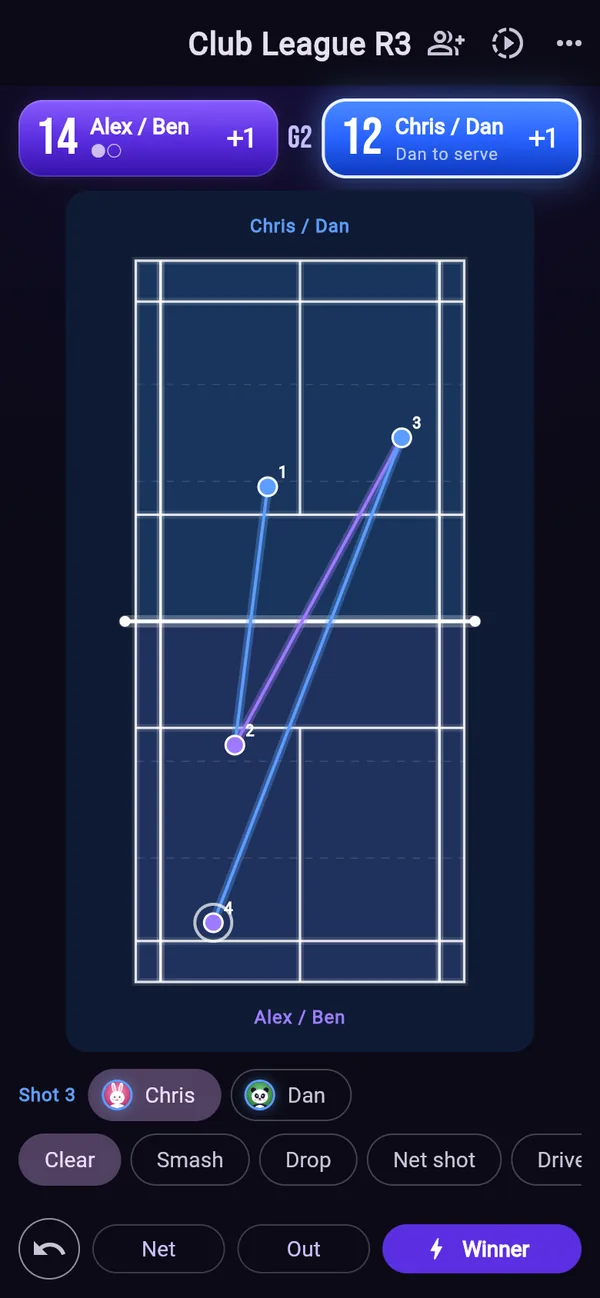
Record where every shot was played
Turn on Detailed mode and tap a court diagram to record where each shot was played. The serve is placed for you, and who hit it and what kind of shot it was are filled in from the spot.
- Tap the courtJust tap where each shot was played, in order. The serve goes in by itself.
- Check the player and shotIn doubles, the nearer player; the shot from how deep it was played. Fix either with a chip.
- Winner, out or netEnd the rally with a button. Who gets the point follows from the side that hit last.
- Replay it laterRecorded rallies play back as an animated replay.
Detailed modeNumbered, so placement is clear at a glance On or off per matchChosen on the new match screen
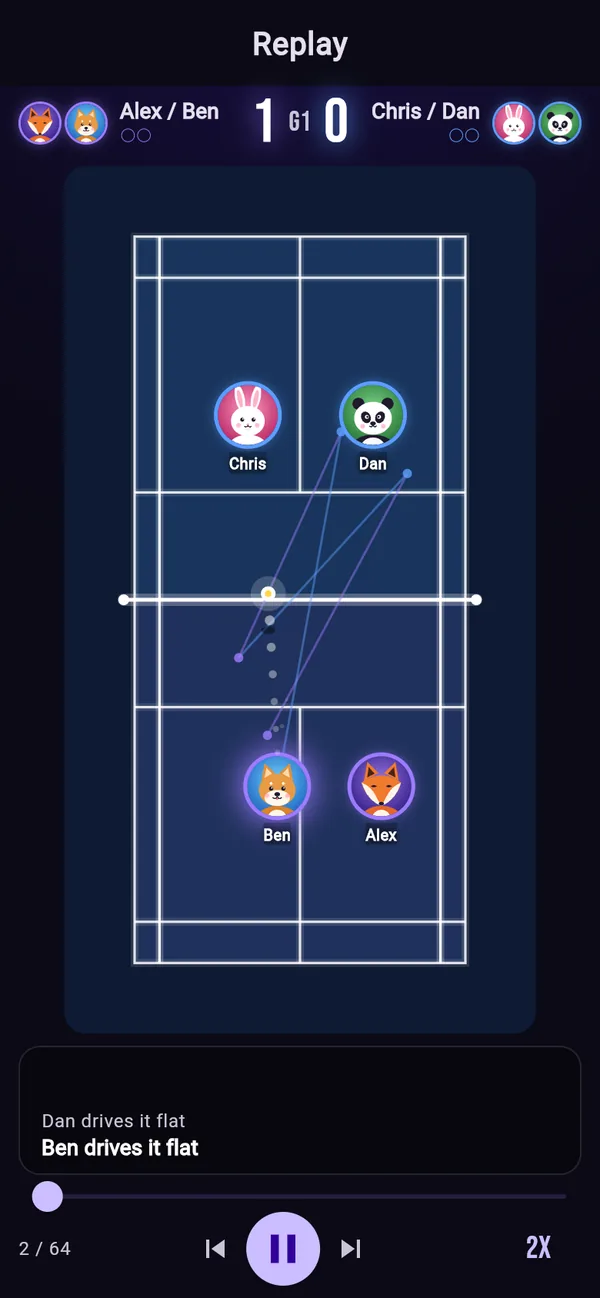
Watch the match again as an animated replay
Matches recorded in Detailed mode play back on a court where the players' avatars move and the shuttle flies, with commentary for every rally.
- Moving avatars
Each hitter's avatar runs to where the shot was played, so doubles rotations show too.
- The shuttle's flight
Arcs with height, a trail and a shadow, and an effect where a winner lands.
- Commentary
“Smash!”, “Winner!” and more tell the rally in words, in all 7 languages.
Play, pause, skip to the previous or next rally, and change the speed.
Fast doubles? Score with two phones
When rallies are too fast for one person, make a second phone the “helper”. The scorer and the helper each tap only their own half of the court, and the two phones' taps are joined by time into one rally.
- Invite a helperThe scorer taps “Invite a helper” on the match screen. A QR code and a 6-character code appear.
- Scan the QR codeThe helper scans it with the phone's camera. It opens in the browser, so nothing to install.
- Tap your own halfThe helper's screen puts their half nearest. Tap where shots were played and where the shuttle landed on your side.
- The scorer adds pointsPoints come from the scorer's buttons. A slow connection never shifts the score, and late taps still join their rally.
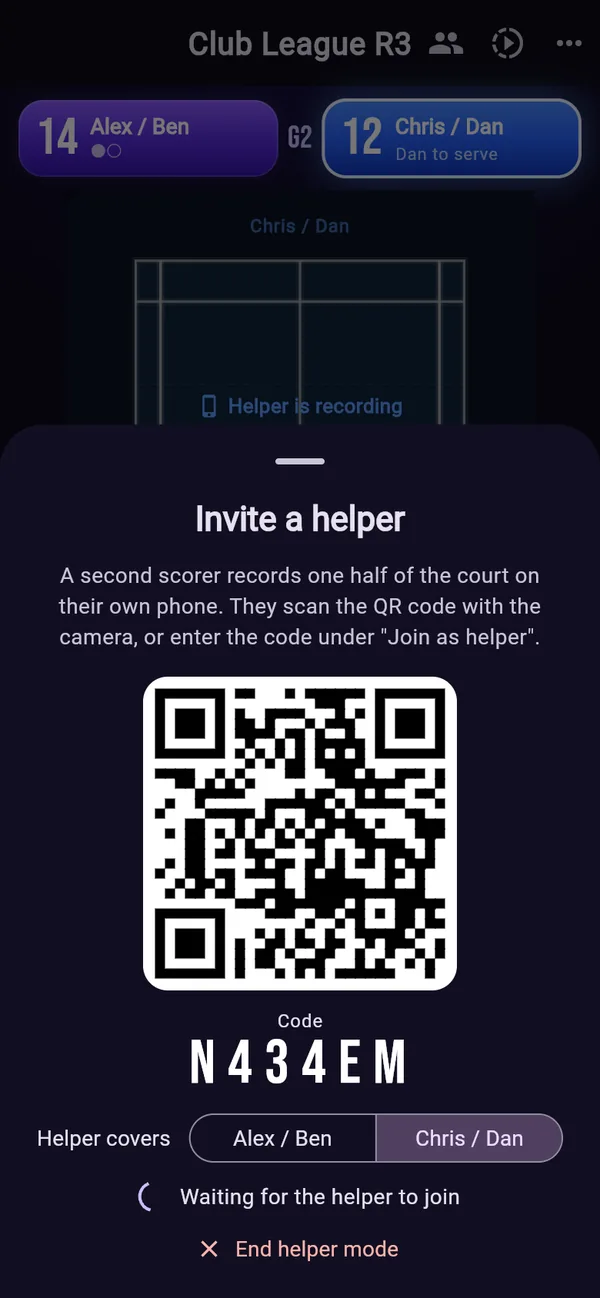
Invite a helperBy QR code or a 6-character code 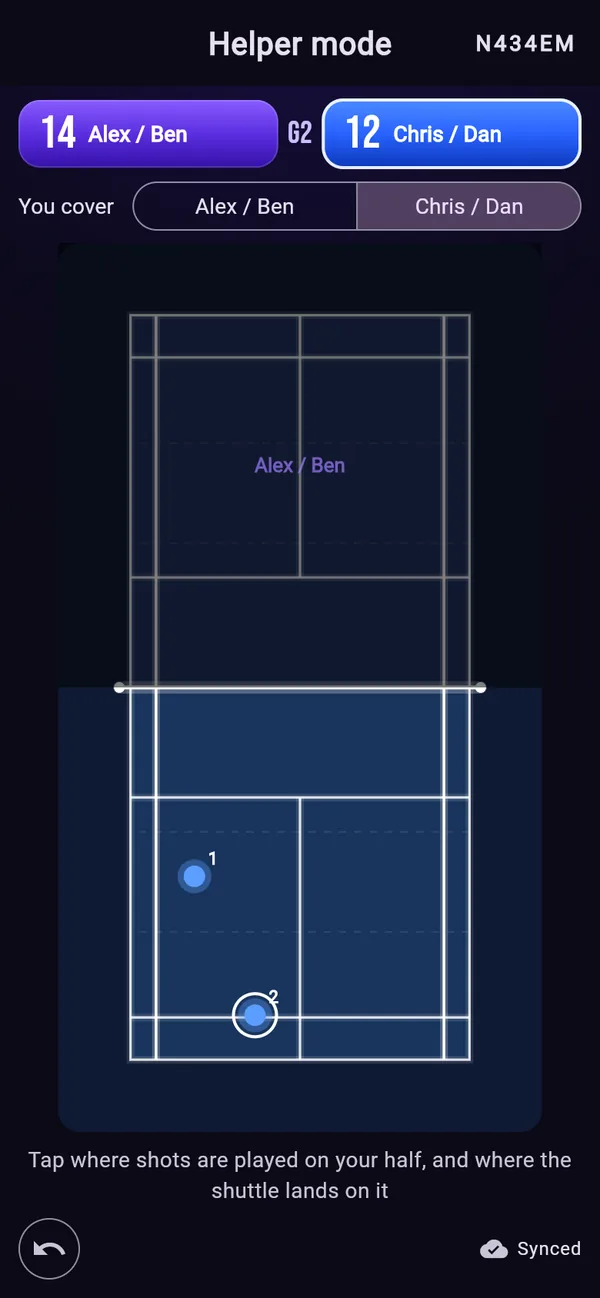
Helper's screenTheir own half nearest 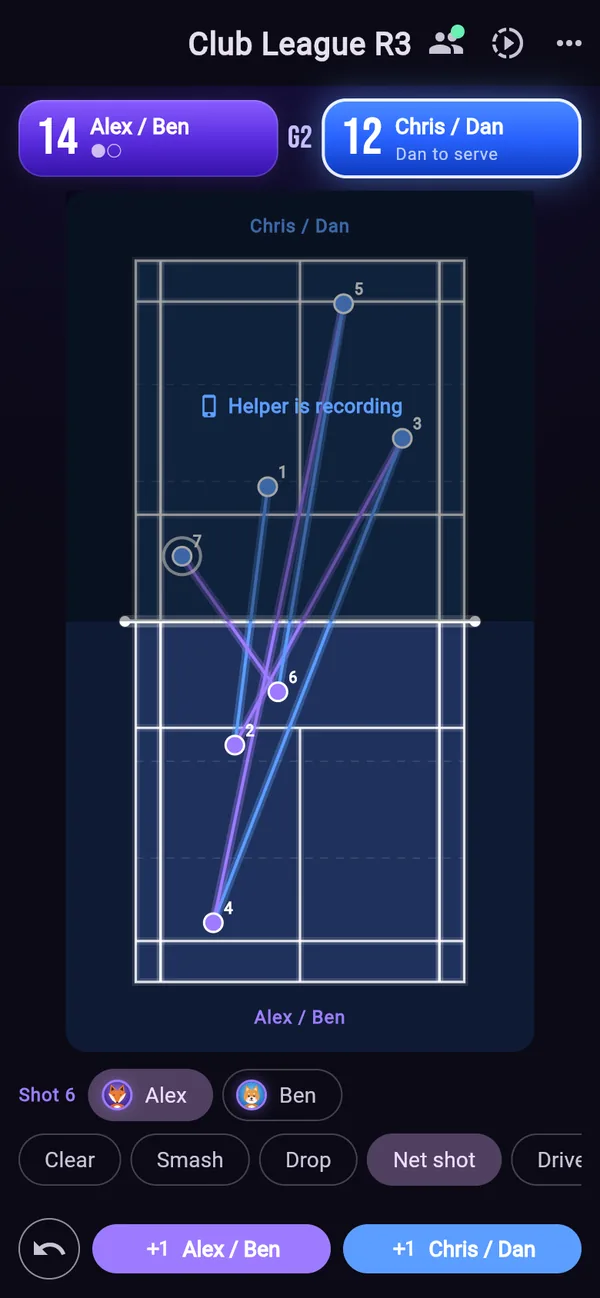
Scorer's screenTwo phones' taps, one rally
Both phones need an internet connection in helper mode. The shared taps are deleted when helper mode ends. Winner, out or net can be corrected until the next rally starts.
An avatar for every player
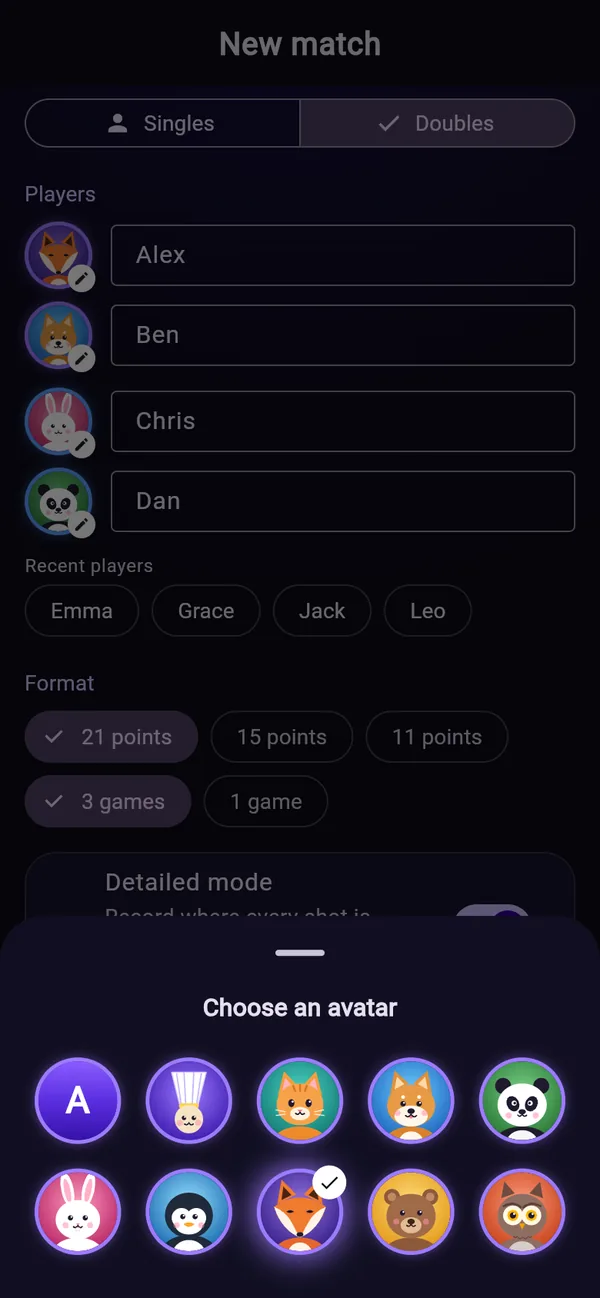
Put an avatar, such as an animal, next to each player's name; in replays, that avatar moves on the court. The avatar is remembered with the player's name, so it is there for the next match too.
- 9 avatars
Fox, Shiba, rabbit, panda, cat, bear, owl, penguin and a shuttlecock.
Use it in 7 languages
The app opens in your device's language the first time, and you can switch any time under “Language” in My Page. Replay commentary speaks each language too. This page also switches from the languages below or the globe at the top right.
Features on the way
- Sign-in and cloud savingKeep your records when you change phones.
- Sharing matchesAn invitation link so others can follow the score.
- Practices and membersPractice schedules and member details, together for the team.
- StatsWins and losses, and shot tendencies, added up.
- iPhone and Android appsFeatures come to the apps once they work on the web.
Plans may change.
FAQ
Is it free?
Yes. Scorekeeping, Detailed mode, replays and Helper mode are all free, and there are no ads.
Is there an iPhone or Android app?
For now it is a web app: open badmintonbu.com in your phone's browser and use it right away. iPhone and Android apps are on the way.
Where are my records saved?
In the browser of the device you use (no sign-in needed). Clearing the browser's data deletes the records too, so take care. Sign-in and cloud saving are coming.
Does the helper need the app or an account?
No. Scanning the scorer's QR code opens it in the browser, ready to record as the helper. Both the scorer and the helper need to be online.
What if the app closes during helper mode?
The rallies recorded so far are kept. The scorer taps “Invite a helper” again, and the helper scans the new QR code.
How do I change the language?
In the app, under “Language” in My Page; on this page, with the globe at the top right.
Start using Badminton Club
Nothing to install, no sign-in. Open it in your browser and start recording.